
01
Finish the job
Your tech completes the work as usual. Nothing extra happens on the job site.

FieldPins · Built by GSL Design
FieldPins is software we built for local service businesses. Your crew snaps a photo of a finished job and tags the service and city. FieldPins publishes it as proof Google can read, on your website and city pages, and your customers’ details never go public.
Built for plumbing, HVAC, pool service, pest control, landscaping and roofing.
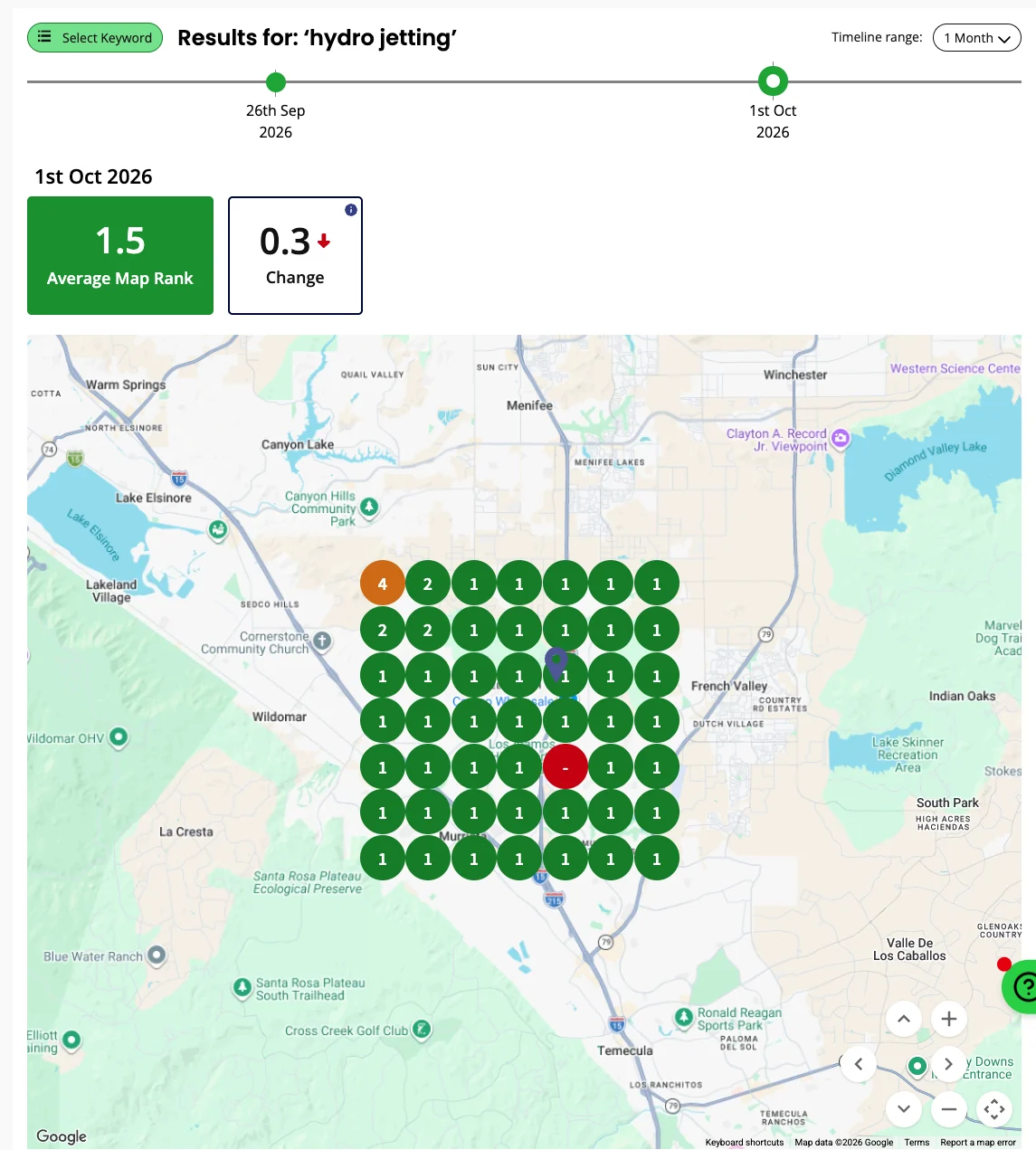
Example: RD Hydrojet ranks first for hydrojetting in Temecula, with jobs published by FieldPins.
RD Hydrojet · Murrieta & Temecula, CA · scans dated October 1, 2026
Rankings vary by where someone searches and change over time. See the full RD Hydrojet story
The problem
The work is the marketing. It just never makes it past the job site.
Great work goes unseen. Your crew finishes jobs all over town every week. Nobody online ever sees them.
Your site looks dead to Google. A page that hasn’t changed in a year says you might not be busy, or open.
City pages don’t rank without proof. Naming a city on a page isn’t evidence you work there. Real, dated jobs are.
The idea
Captured once, a real job shows up in every place that helps you rank and win the call.
1 completed job
Aug 2026Approved
Emergency mainline blockage in Murrieta, CA
How it works
Your team touches each job once. Under a minute on site.
Your tech completes the work as usual. Nothing extra happens on the job site.

One photo of the finished work, taken on the tech’s phone.

Pick the service and the city. FieldPins writes the title and a description of the work and tags it with that service and city.
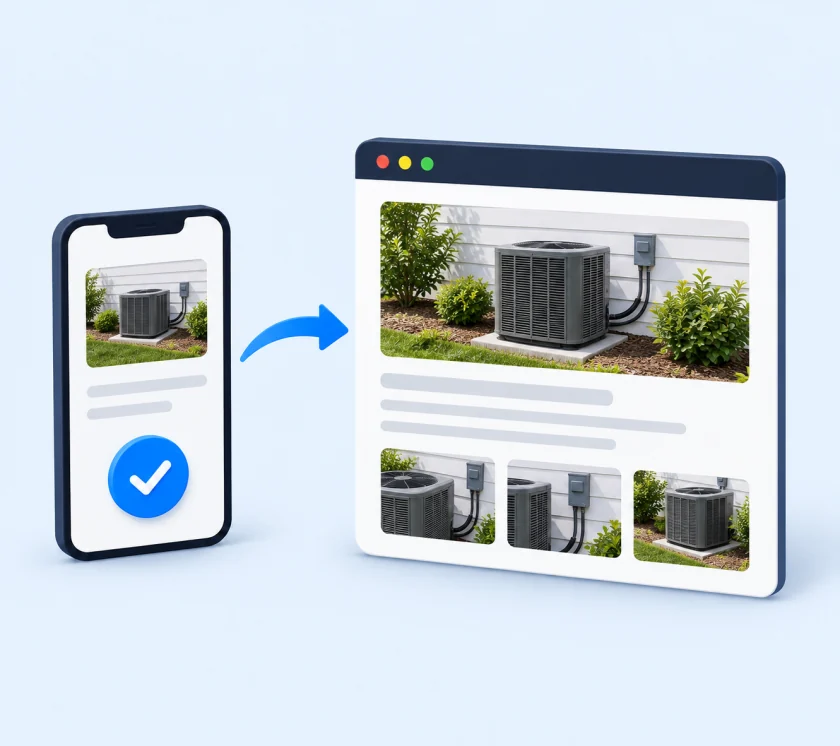
FieldPins publishes the job as local content on the website, grouped by service and city on the Recent Completed Jobs page.
Nothing goes public without your yes. The owner or office approves each job in one tap before it publishes.
The FieldPins walkthrough
PlumbingHVACPool servicePest controlLandscapingRoofing
Under the hood
Every approved job publishes as real HTML on your own site, not a widget Google has to guess at, and feeds service and city pages that carry Service schema.
{
  "@type": "Service",
  "@id": "https://rdhydrojet.com/hydro-jetting/#service",
  "name": "Hydro Jetting Services in Murrieta & Temecula",
  "serviceType": "Hydro Jetting",
  "url": "https://rdhydrojet.com/hydro-jetting/",
  "provider": { "@id": "https://rdhydrojet.com/#organization" },
  "areaServed": [
    { "@type": "City", "name": "Murrieta" },
    { "@type": "City", "name": "Temecula" },
    { "@type": "City", "name": "Menifee" },
    … 4 more cities
  ]
}Privacy
Proof that you’re busy should never cost your customer their privacy. FieldPins draws a hard line between what helps you rank and what stays private.
What it looks like
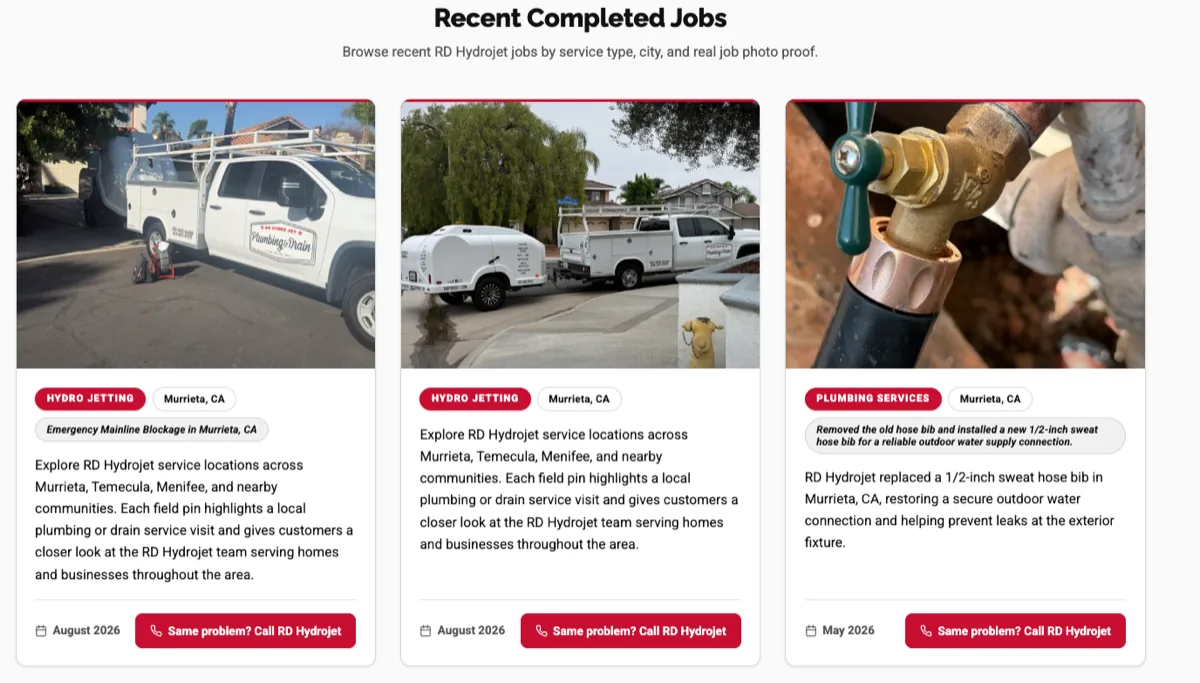
This is how FieldPins jobs sit on RD Hydrojet’s Murrieta page: each one a dated proof card, written for the people searching there.
RD Hydrojet’s Murrieta page lists three recent jobs: water heater services, September 2026; hydro jetting, September 2026; and an emergency mainline blockage cleared by hydro jetting, August 2026.
FAQ
No. Posting a job is a photo, a service and a city. We walk your team through it once during setup.
We review your platform and confirm the publishing setup before we quote. If your site can’t support it, we’ll tell you, and sometimes a website redesign is the faster path.
No. We pick the structure that helps visitors. Approved jobs can feed a completed-jobs page, a service page or a city page, depending on the work.
No. FieldPins shows the work, the service and the city. Street addresses, GPS coordinates, customer names and tech notes are never published, and you approve every job before it goes live.
A photo on Facebook or an image dropped on a page doesn’t tell Google much. FieldPins publishes each job as readable content with service and city data, grouped into pages that link to your service and city pages. It also drafts the Business Profile update, so the same job works in both places.
It fits businesses that finish a lot of jobs at customers’ locations: plumbing, HVAC, pool service, pest control, landscaping, roofing and more. It’s a weaker fit for a single storefront where customers come to you, or a business that finishes a handful of jobs a year. We’ll tell you which you are before you spend anything.
No. Job content supports a wider SEO plan, and one client’s results don’t predict yours. We track map-grid rankings monthly so you can see what’s changing.
On this site, FieldPins is part of a managed local SEO plan. If you only want the software, see fieldpins.io.
It’s quoted with your SEO plan. Compare SEO plans. FieldPins software pricing on fieldpins.io is separate from GSL’s managed-service pricing.
A managed service from GSL Design
On gsldesign.net, FieldPins comes as part of a managed local SEO plan. We set it up on your website, connect jobs to your service and city pages, show your crew how to post, and review what’s publishing each month next to your rankings and calls.
Quoted with your SEO plan. · Compare SEO plans
Contractor SEO · RD Hydrojet case study
Only want the software? Visit fieldpins.io · Questions first? Talk to us
How can we help?
Tell us what you’re looking to improve.
Where are you at right now?
How can we reach you?
We only use your details to reply to you. Privacy policy
We’ll reply by email with a clear next step.
Your details weren’t sent. Try again, or call (928) 235-4883.
Step 1 of 3